Collaborative Trip Planning: How to Plan with Friends and Family
Planning a trip alone is straightforward. Planning a trip with four friends, two of whom have strong opinions about food and one who "doesn't care" but vetoes everything? That's a different challenge entirely.
Most groups default to a WhatsApp thread that spirals into hundreds of messages, a shared Google Doc that nobody updates, or one person doing all the work while everyone else says "whatever you decide is fine." None of these approaches work well, and they often lead to frustration before the trip even starts.
Plany was built for exactly this scenario — multiple people, one calendar, real-time collaboration.
How Collaborative Planning Works on Plany
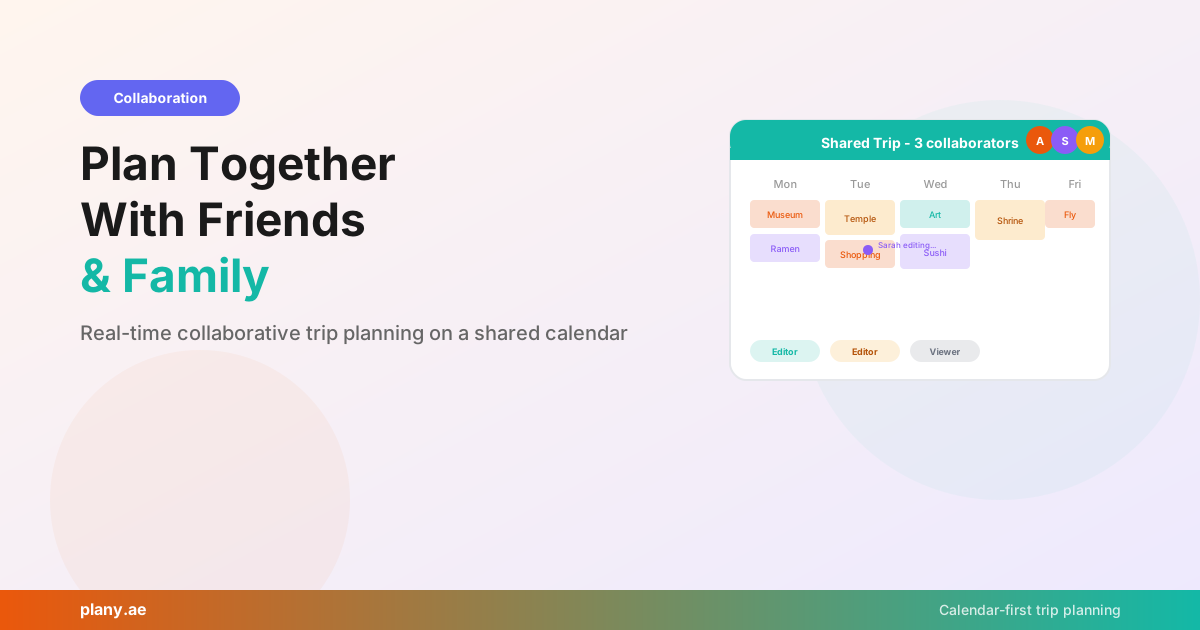
When you create a trip on Plany, you can invite others to join with two different permission levels:
Editors can add, modify, and remove events. They can drag activities between days, change times, add new restaurants, and reorganize the schedule. This is for your co-planners — the people who are actively helping build the itinerary.
Viewers can see everything but can't change it. This is perfect for the "just tell me where to show up" people in your group, or for sharing your itinerary with family back home so they know your plans.
Changes sync in real time. When your travel partner adds a cooking class to Thursday afternoon, you see it appear on your calendar immediately. No refreshing, no "check the latest version of the doc."
Why a Calendar Beats a Group Chat
The fundamental problem with planning trips in WhatsApp or Messenger is that conversations are linear but trips are structured. Someone suggests a restaurant, it scrolls past, three people react, two more suggestions pile on top, and by the end of the day nobody knows what was decided.
A shared calendar solves this because every suggestion has a specific place in time. "Let's try that sushi place" becomes "sushi dinner on Wednesday at 7 PM" — concrete, visible, and accountable. When someone disagrees, they can move it or suggest an alternative in the same visual space.
You can also see the whole trip at once. In a group chat, you'd need to scroll through days of messages to piece together "what are we doing Monday?" On a shared Plany calendar, Monday is a column with everything listed.
Practical Tips for Group Trip Planning
After watching hundreds of groups use Plany, here's what works:
Start with one planner. Have one person create the trip and add the basic framework — travel days, accommodation check-in/check-out, any fixed events like flights or concert tickets. Then invite others as editors to fill in the gaps.
Use the import feature for brainstorming. Everyone sends their Google Maps saved lists. Import them all into the trip, and you'll have a pool of suggestions to draw from. Then collaboratively drag them onto specific days.
Leave buffer time. Groups move slower than individuals. If you'd normally schedule three activities in a morning, plan two. Someone will be late, someone will want to linger at breakfast, and someone will need to find an ATM.
Assign "day owners." For multi-day trips, let each person plan one day based on their interests. The foodie plans the food tour day, the history buff plans the museum day. Everyone gets ownership of something, and the result is more diverse than one person planning everything.
Share the view link with family. Invite parents or partners who aren't coming as viewers. They can see your itinerary without accidentally modifying it — and they'll worry less about where you are.
Public Trip Sharing
Beyond private collaboration, Plany lets you make trips public. This is great for:
Inspiring others. Finished a fantastic two-week Italy trip? Make it public and others can browse your day-by-day itinerary at app.plany.ae/explore for inspiration.
Sharing with a wider audience. Travel bloggers and content creators can share structured itineraries that are more useful than a list in a blog post. Your followers can see exactly what you did each day, with locations and timing.
Getting feedback before your trip. Share a public link on Reddit or a travel forum and let experienced travelers suggest improvements to your itinerary.
Collaboration + AI = Faster Group Planning
Here's a workflow that works well for groups:
- Create the trip on Plany and invite everyone as editors
- Have everyone import their Google Maps saved lists
- Use AI to draft the itinerary — connect ChatGPT or Claude and ask it to organize everyone's suggestions into a balanced day-by-day plan
- Refine together — everyone reviews the AI's draft and drags things around until the group is happy
- Share the final calendar — switch reluctant planners to viewer mode so the plan stays stable
This cuts group planning time from weeks of back-and-forth messages to an evening of collaborative calendar editing.
Get Your Group Started
- Sign up free at app.plany.ae
- Create a trip and add your travel dates
- Invite your group — editors for co-planners, viewers for everyone else
- Start building your itinerary together
No more lost messages. No more "did anyone book that restaurant?" No more one person doing all the work.
See how other groups plan their trips at app.plany.ae/explore.
Plany Team
Writing about travel planning, AI-powered itineraries, and building better tools for travelers at Plany.
Start planning your next trip — free
Drag, drop, and organize your itinerary on a visual calendar. Add AI suggestions, photos, and share with friends.
Get Started FreeGet travel planning tips
Join our newsletter for trip planning guides, destination ideas, and Plany product updates.