The trip planner that lives in your calendar
Plan your trip as a calendar, then subscribe to it from Google Calendar, Apple Calendar, or Outlook. Your flights, hotels, and plans sit alongside everything else in your life — because that's where you'll actually look for them.
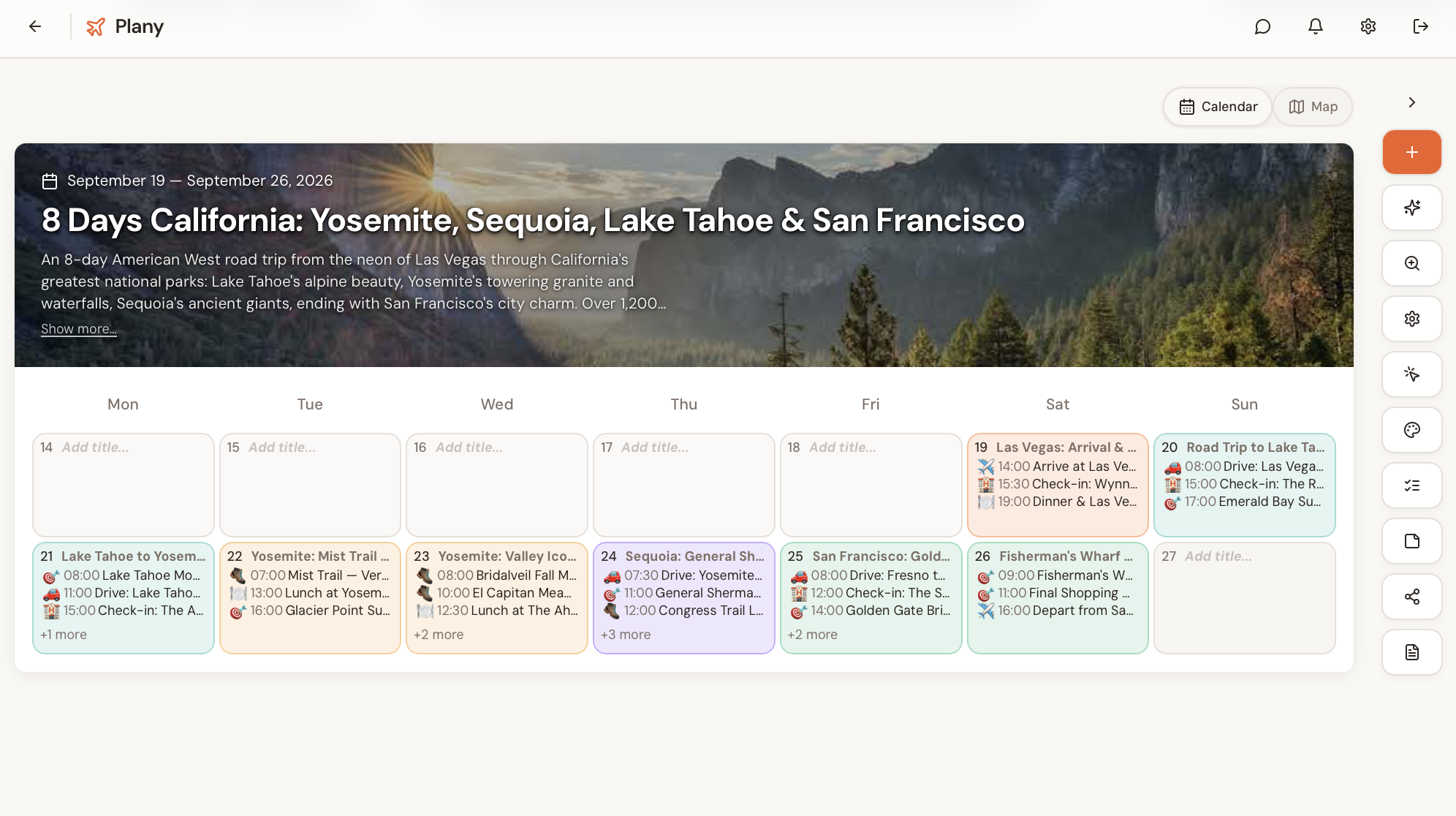
Your itinerary is in the wrong place
Most trip planners hand you a list. A beautiful list, sometimes. But a list doesn't tell you that your museum booking is at the same time as your airport transfer, or that you've left yourself forty minutes to cross a city.
A calendar does. It's the tool you already use to manage time, and a trip is mostly a problem of time.
So Plany starts there. Each trip is a calendar. You drop plans onto days. Conflicts become obvious because you can see them.
Three steps, no setup
Create your trip
Add a destination and dates. That's it — your trip becomes a calendar immediately. No templates to pick, no configuration.
Fill your days
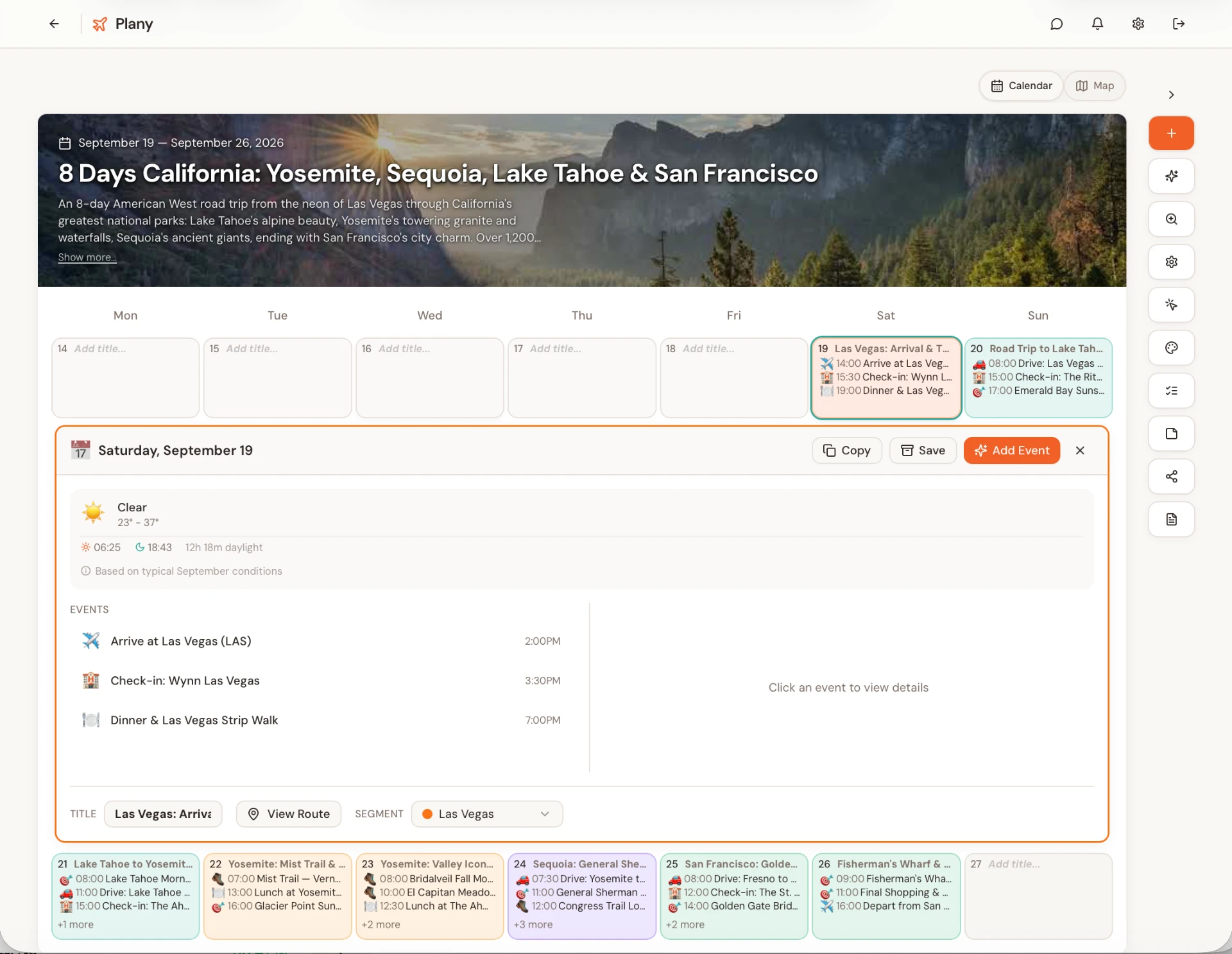
Drop in flights, hotels, meals, meetings, activities. Search real places from Google Maps and they arrive with addresses and photos attached. Drag anything to a different day and it moves.
Subscribe from your own calendar
Plany gives you a subscription link. Add it once to Google Calendar, Apple Calendar, or Outlook, and your trip appears there. Change a plan in Plany and your calendar updates on its own — no re-exporting, no re-importing.
In your pocket
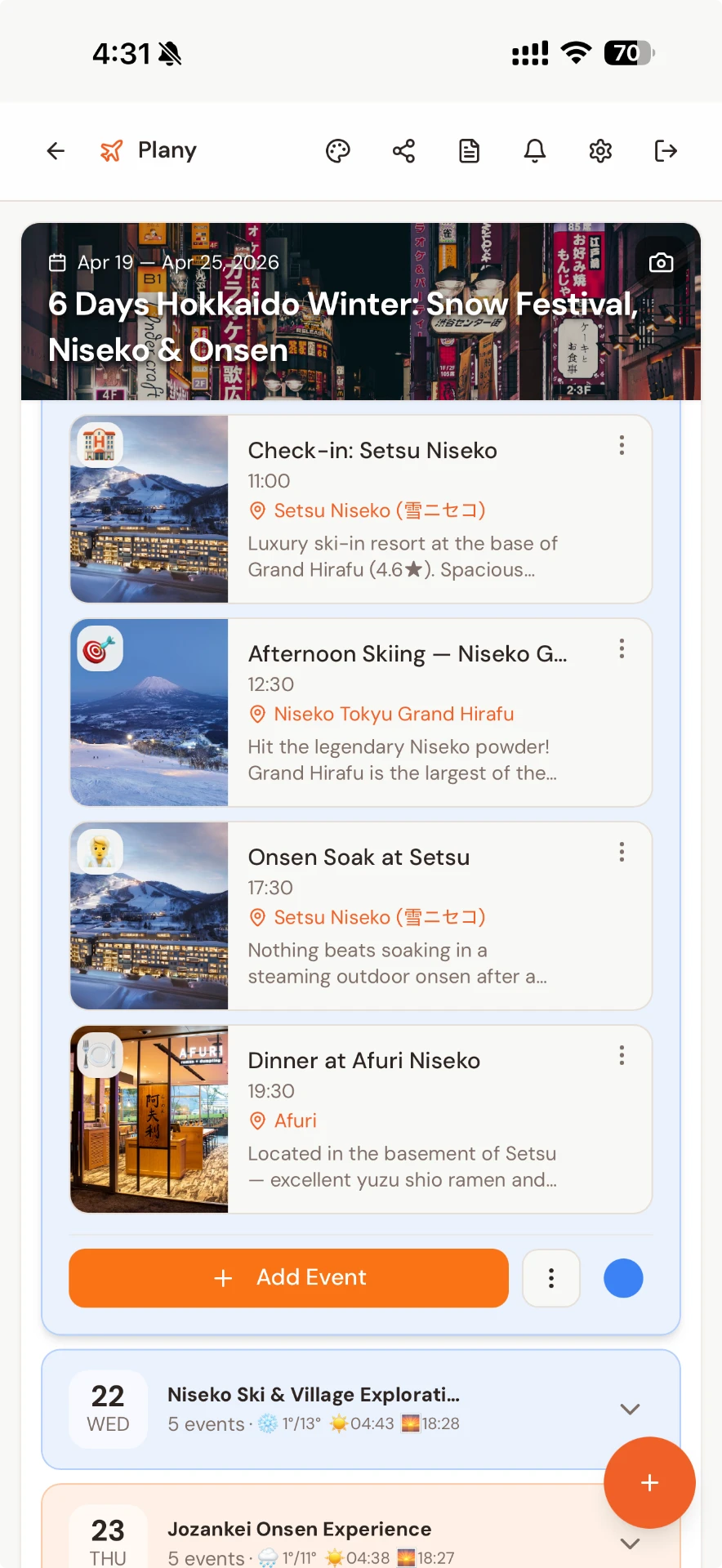
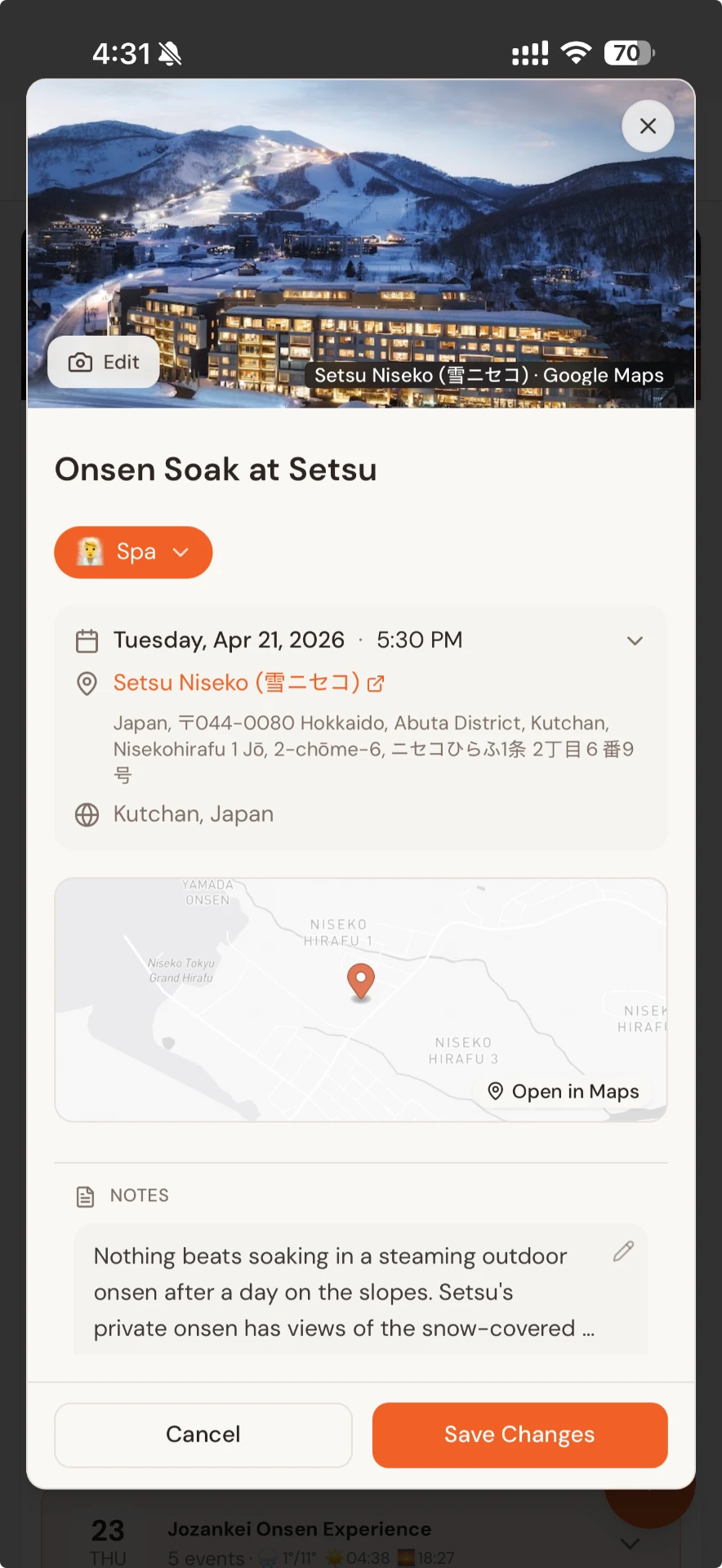
The same trip, on your phone
Your calendar isn't tied to a desk. Plany keeps the full itinerary — and every detail — with you wherever you go.
Why subscribe rather than export
An export goes stale the moment you change something
Most tools let you export an .ics file. It works once. Then you move a dinner reservation and your calendar is quietly wrong — which is worse than having nothing there at all.
A subscription is a live link. Your calendar re-reads the trip on its own schedule, so what you see is what's actually planned.
It also means the people you're travelling with stay current. Share the trip, they subscribe once, and nobody is working from a version you sent last Tuesday.
If the calendar you subscribe from is your work one, the business travel planner guide covers planning a work trip around meetings in Outlook.
A one-time export
- Correct only at the moment you export
- Every change means exporting and importing again
- Duplicate events pile up in your calendar
- Everyone you sent it to has a different version
A Plany subscription
- Added once, then left alone
- Your calendar re-reads the trip on its own
- Edits in Plany show up without a re-import
- Collaborators subscribe to the same feed
Built for real trips, not three-day samples
A calendar per trip
Multi-city trips segment by destination automatically, so you can see at a glance where you are on any given day.
Real places
Search Google Maps from inside Plany. Venues come with addresses, photos, and opening details.
AI when you want it
Ask for a full day plan or a single suggestion. It's never automatic, and it never rearranges your trip behind your back.
Plan by chatting
Connect Plany to ChatGPT or Claude and build a trip in conversation — the events land directly in your calendar.
Save what you find
Send a Reel, TikTok, or post to Plany and it pulls out the cafés and viewpoints mentioned, ready to drop into a day.
Share it properly
Send a link, invite a collaborator to edit, or export a clean PDF itinerary for offline use.
Weather and daylight
On every day of the trip, so you plan around them rather than discovering them.
Where Plany fits
If you want your bookings organised automatically
TripIt reads confirmation emails and builds a timeline. It doesn't plan — it has no view on what you should do on Tuesday.
If your trip is map-shaped
A road trip, pinning restaurants across a city — Wanderlog's map-first approach is strong.
If you want a finished itinerary generated for you
Several AI tools will produce one in under a minute.
Plany
Plany is for people who want to plan their own trip properly and see it as time. If the question you keep asking is "does this actually fit in the day?", that's the one Plany answers.
Questions
Does Plany sync with Google Calendar?
Does it work with Apple Calendar and Outlook?
Will my trip update automatically if I change something?
Does it clutter my main calendar?
Can I share the trip with people I'm travelling with?
Is it free?
Does Plany book flights or hotels?
Start with your calendar. Everything else follows.
Create a trip in under a minute. No card required.
Create your first trip