Stop Losing Great Travel Ideas: Meet Plany's Ideas Library
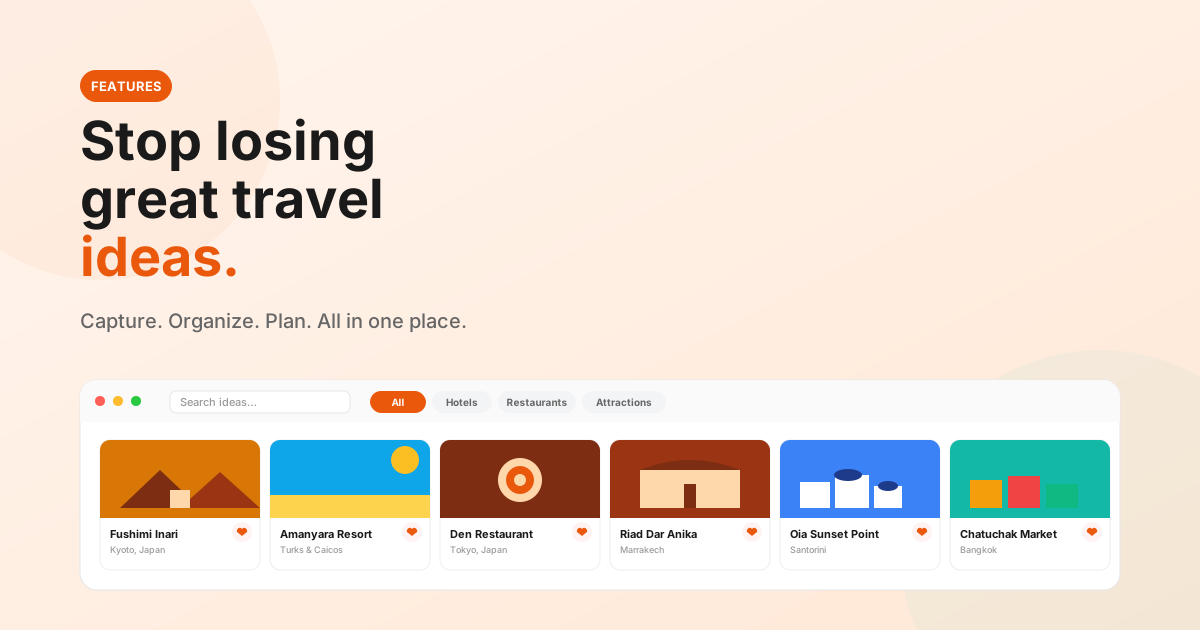
You're scrolling Instagram and find a hidden riad in Marrakech. You read about a cliff-top restaurant in Santorini. A friend texts you about a local market in Bangkok.
Where do they go?
Lost in likes. Buried in screenshots. Forgotten in your notes app. By the time you actually plan the trip, half of them are gone — and the other half take an evening to dig back up.
That's the problem Ideas solves.
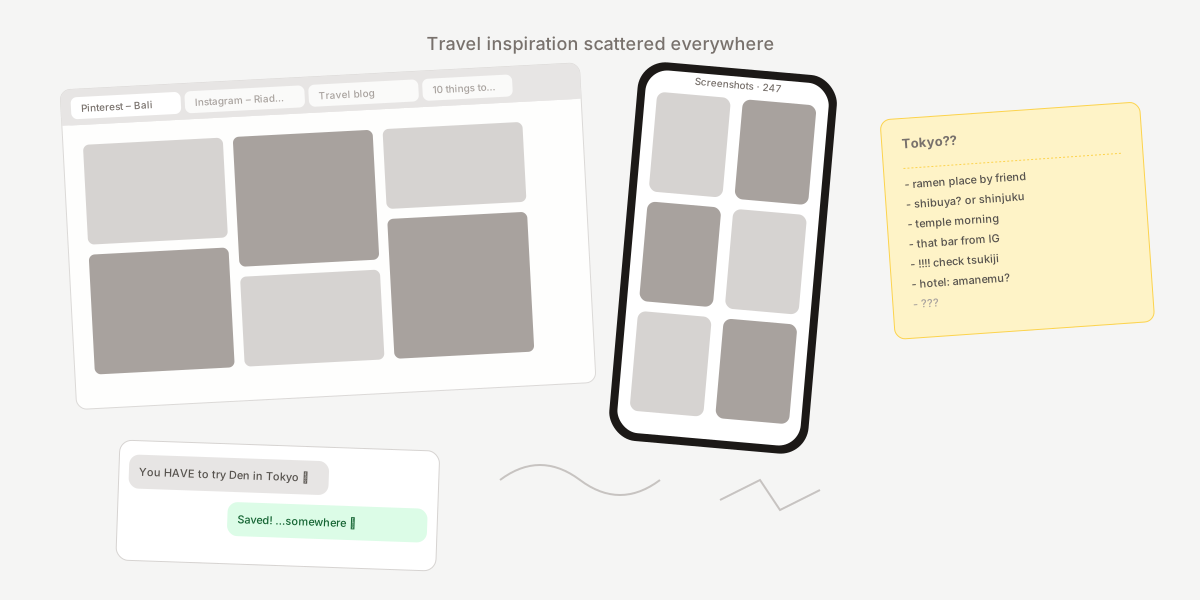
You find ideas everywhere. But then you lose them.
Travel planning has never been about a lack of inspiration. It's about a lack of a single, calm place to put it all. Pinterest boards rot. Screenshots pile up by the hundreds. Notes apps become a mess of half-thoughts and question marks.
When the trip finally arrives, you spend the first night of the planning session reconstructing what you already discovered — instead of building the trip itself.
Meet Ideas: your personal travel inspiration library
Ideas is the section inside Plany where every place you want to remember lives together. Restaurants, hotels, attractions, experiences — saved with one tap, organised into Collections by trip or theme, ready when you start planning.
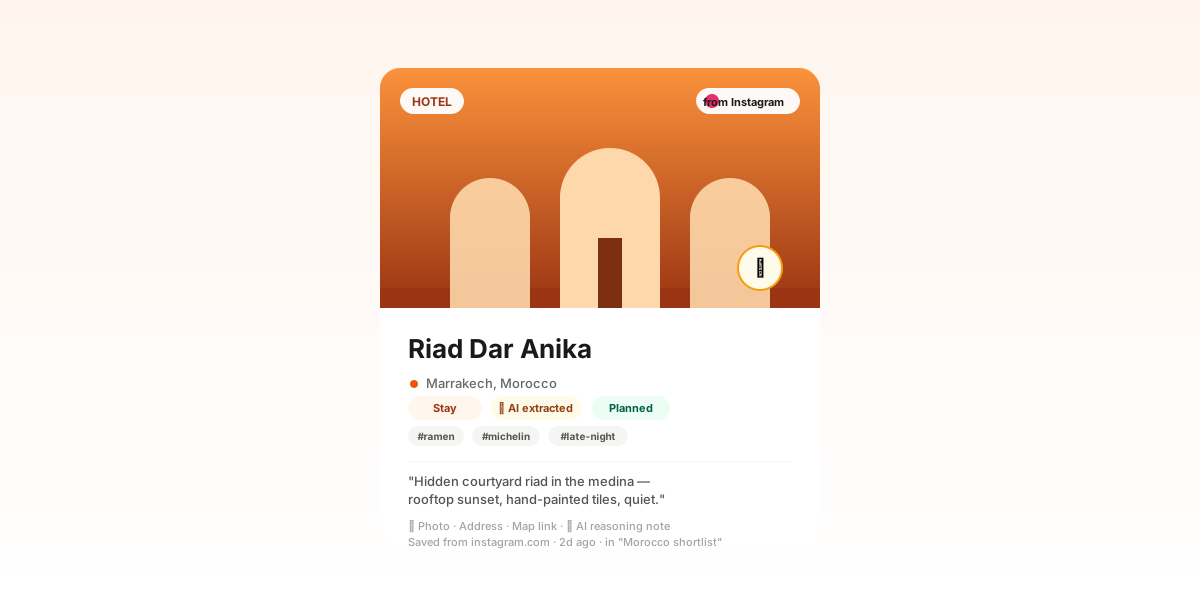
Each idea keeps the photo that caught your eye, the source link, the address and map link, the place type, your notes, and a status (new, reviewed, planned, discarded). When AI pulls the idea out of a video, the card also shows the timestamp it came from and a short confidence note.
1. Capture inspiration from anywhere
You don't browse a generic feed inside Plany — you bring your own inspiration in, from wherever you found it.
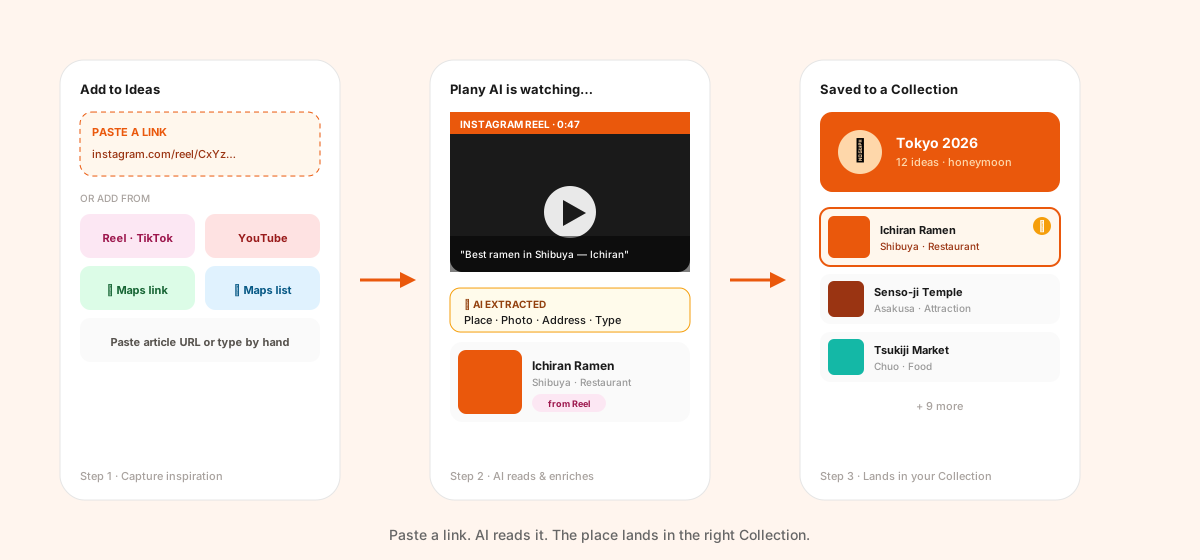
Paste an Instagram Reel, TikTok, or YouTube link and Plany's AI watches the video, reads the caption, and extracts the place (or places) automatically. Drop in a Google Maps link, paste a restaurant or article URL, or just type a place by hand. Every saved idea is enriched with photo, address, map link, and place type — no manual cleanup.
Group what you save into Collections — one per trip, theme, or city. "Tokyo 2026". "Honeymoon shortlist". "Coffee worth flying for". Each collection has its own cover photo, colour, icon, and notes, and an idea can live in more than one.
How ideas get into Plany
- Instagram Reels & TikToks — paste a link, AI watches and extracts (Pro)
- YouTube — full video analysis, including travel vlogs (Pro)
- Google Maps links — instant import with address and photo
- Google Maps lists — paste a shared list URL, every place imports at once
- Paste any URL — articles, blog posts, restaurant pages
- Manual — type a place yourself, always free
What Plany pulls out automatically
Every idea is enriched the moment it's saved, so you never spend time tidying cards:
- Place name, address, city, country, map link, and Google place type — pulled from Google Places
- A photo — taken from the source (Reel cover, article hero) or fetched from Google when the source has none
- AI-extracted tags and a short reasoning note so you remember why you saved it ("late-night ramen the Reel raved about")
- For videos: the exact timestamp in the clip where the place is mentioned, so you can jump straight back to the moment
One honest line: video link import (Reels, TikToks, YouTube) is a Pro feature. Free always covers Google Maps links and lists, article paste, and manual entry. Saved ideas count against a lifetime quota per plan — see pricing for the exact numbers.
2. Let AI build your itinerary from your ideas
This is where Ideas earns its keep.
You've saved 15 things for Tokyo. You don't want to spend a Sunday afternoon dragging them onto a calendar. So you don't.
"Build a 3-day Tokyo itinerary."
Plany's AI Trip Assistant automatically pulls in your saved ideas that match the trip's destination — you don't have to point it at a specific collection. There's also a one-tap "✨ Use my saved ideas" chip in the assistant if you want to be explicit.
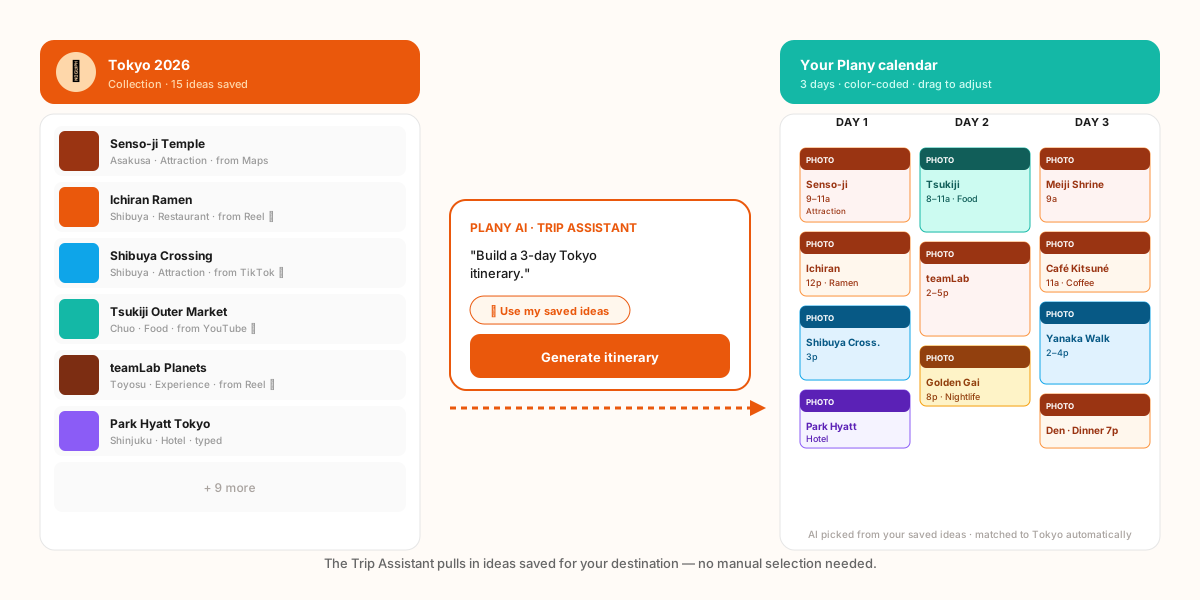
The assistant groups places by neighbourhood, sequences them by time of day, accounts for travel between stops, and hands you a real calendar. Color-coded. Adjustable. Done in seconds.
Don't love a slot? Tap to move it to another day or time. Want to swap a restaurant? Open the event and pick a different idea from your library.
3. Or build your own trip, your way
Prefer to do it by hand? Open any day in your trip, tap Add event → From my Ideas, and your saved library opens right there. Filter by collection, place type, or free text, pick the idea, and it lands on the day at the time you chose.
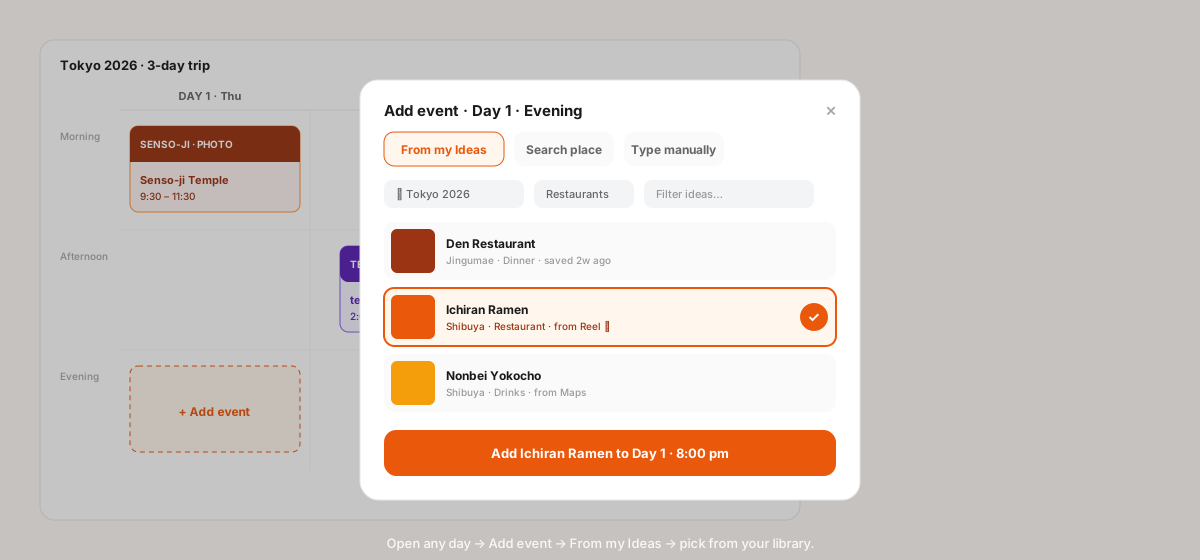
Same flow on mobile, same flow on desktop. No retyping. No re-finding. Your ideas show up exactly where you need them — inside the day you're planning.
This is what makes Plany different from every other travel itinerary builder that forces you into one workflow. AI when you want speed. Manual when you want control. Both pull from the same library.
Your trip planning, transformed
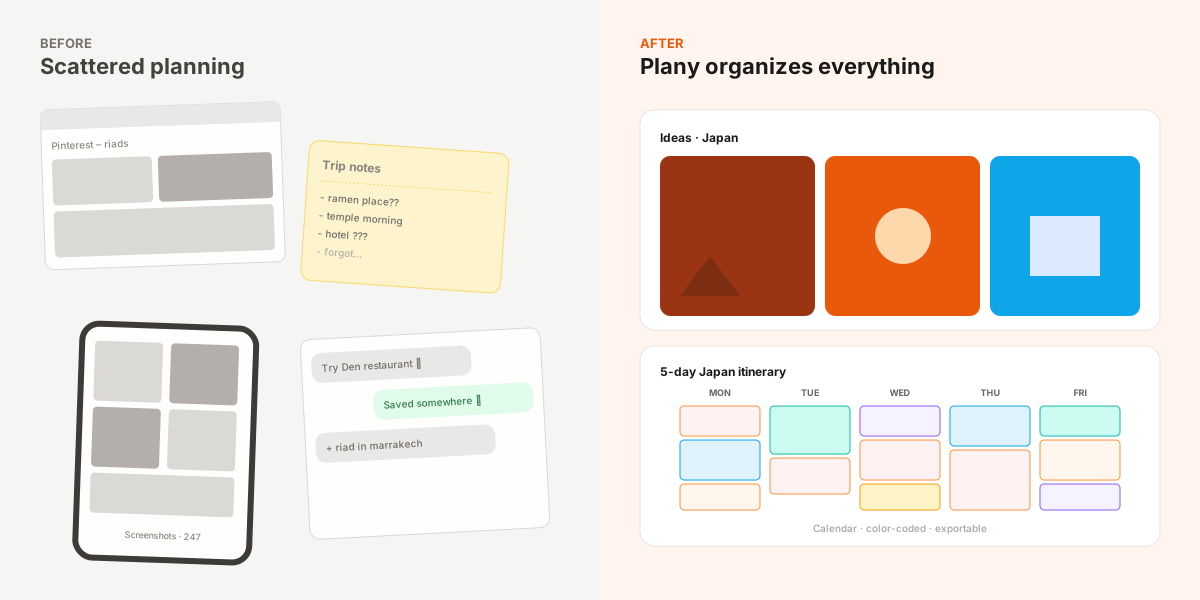
Before: ideas scattered across five apps. No system. Forgetting details. Re-finding the same restaurant three times.
After: every idea in one place, in the right Collection. A calendar built from them. A trip you can actually share, export, and live.
That's the whole shift. Not more inspiration — better organisation.
What Ideas isn't
Ideas isn't a discovery feed. Plany doesn't push you trending places or sponsored spots — it only holds what you save. The AI Trip Assistant is the only thing that adds places you didn't pick yourself, and only when you ask it to build or expand a trip.
Frequently asked questions
Is saving ideas free?
Yes. Manual entry, Google Maps links, and pasting article URLs are free on every plan. Video link import (Reels, TikToks, YouTube) requires Pro.
Do my ideas stay private?
Yes. Your Ideas library is private to your account and never shown to people you share trips with.
Can I use the same idea in multiple trips?
Yes. An idea can belong to multiple Collections and can be added to as many trips as you want.
Does the AI assistant see all my ideas or only one collection?
It automatically pulls saved ideas matching the trip's destination (city/country). You can also tap the "Use my saved ideas" chip to force it.
Ready to plan better?
Start saving ideas today. Build smarter trips tomorrow.
Plany Team
Writing about travel planning, AI-powered itineraries, and building better tools for travelers at Plany.
Start planning your next trip — free
Drag, drop, and organize your itinerary on a visual calendar. Add AI suggestions, photos, and share with friends.
Get Started FreeGet travel planning tips
Join our newsletter for trip planning guides, destination ideas, and Plany product updates.